
Disclosure: This post contains affiliate links. If you buy through my links I may earn a commission at no extra cost to you. I only recommend tools I have personally tested.

Running a solo business means wearing every hat simultaneously. Marketing. Client work. Admin. Finance. Content creation. Project management.
Without a system holding everything together, things fall through the cracks. Deadlines get missed. Invoices go unsent. Ideas disappear into a notes app nobody checks.
Notion fixes this. And the right template fixes it in an afternoon instead of spending weeks building your own system from scratch.
I’m Shelton — a Linux Systems Administrator who has spent years building systems that don’t break under pressure. Here are the best Notion templates for solopreneurs in 2026 — the ones that actually get used daily instead of abandoned after a week.
Why Notion Templates Work for Solopreneurs

The problem with most productivity tools is that they’re built for teams. Jira is overkill. Salesforce is overkill. Even Asana feels like too much for a solo operator managing 5–10 clients.
Notion is different because it’s infinitely flexible. You build exactly what you need — nothing more.
The catch: building a Notion workspace from scratch takes 10–20 hours if you don’t know what you’re doing. Templates eliminate that. You install a proven system in minutes and start using it immediately.
The best Notion templates for solopreneurs in 2026 cover five core business functions:
- Client management — track every client, project, and deadline
- Content calendar — plan and schedule your content output
- Finance tracking — income, expenses, invoices, and goals
- Knowledge base — SOPs, research, and reference material
- Daily operations — tasks, habits, and weekly reviews
1. MainBiz Dashboard — Best All-in-One Business Template

Best for: Solopreneurs who want one system that runs their entire business
The MainBiz Dashboard is the template I recommend first to any solopreneur asking how to organize their business in Notion. It combines client management, project tracking, finance, content planning, and daily operations into a single connected workspace.
What’s inside:
- Client CRM — track every client relationship, contract status, and communication history
- Project tracker — manage deliverables, deadlines, and milestones
- Revenue dashboard — monthly income targets, actual revenue, and expense tracking
- Content calendar — plan blog posts, social media, and email campaigns
- Weekly review system — built-in reflection prompts to keep you moving forward
- SOP library — document your processes so nothing lives only in your head
Why solopreneurs love it: Most Notion templates solve one problem. MainBiz Dashboard solves all of them in one connected system. When a client project updates, it flows through to your revenue tracker and your weekly review automatically.
Price: Available on Gumroad — affordable one-time purchase, lifetime access.
2. Notion AI — Best for Building Your Own System
Best for: Solopreneurs who want AI assistance built into their workspace
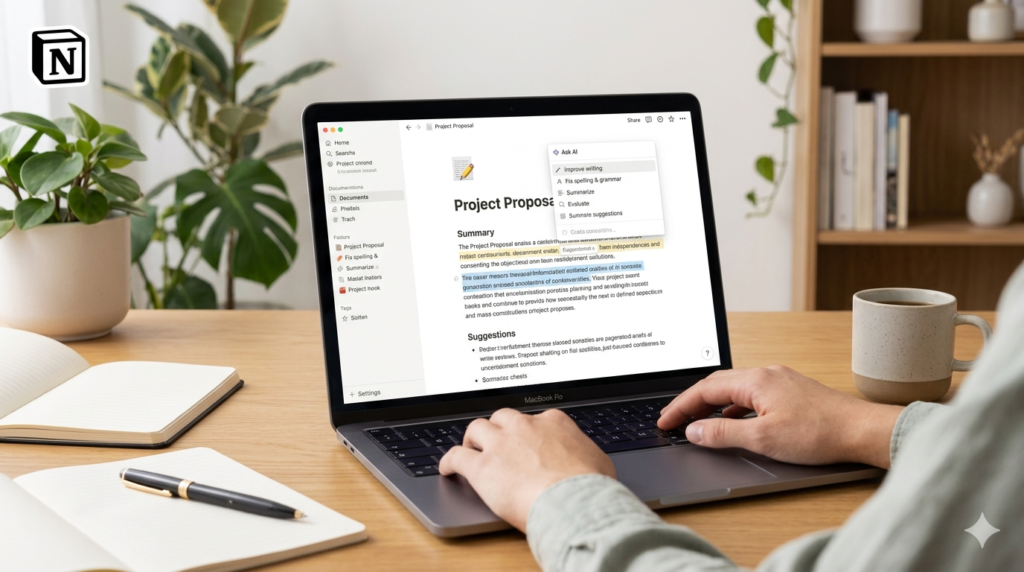
Notion AI transforms your workspace from a static database into a thinking partner. Ask it to summarize your meeting notes. Generate a project plan from a brief. Draft a client proposal from bullet points. Analyze your week and suggest improvements.
What makes it powerful for solopreneurs: The AI layer works across your entire workspace — not just individual documents. Ask “What are all the overdue tasks across my client projects?” and Notion AI finds them across every database instantly.
Key AI features:
- Autofill database properties based on content
- Summarize long documents instantly
- Generate first drafts from prompts
- Ask questions across your entire workspace
- Translate content into other languages
Pricing: Notion free plan available. Notion AI adds $10/month on top of your plan.
👉 Try Notion free here ← replace with Notion affiliate link when approved
3. Content Creator OS — Best for Content-Driven Businesses
Best for: Bloggers, affiliate marketers, and content creators managing editorial calendars
A content-driven business lives or dies by consistency. Missing one week of publishing is fine. Missing three weeks because you have no system is how blogs die.
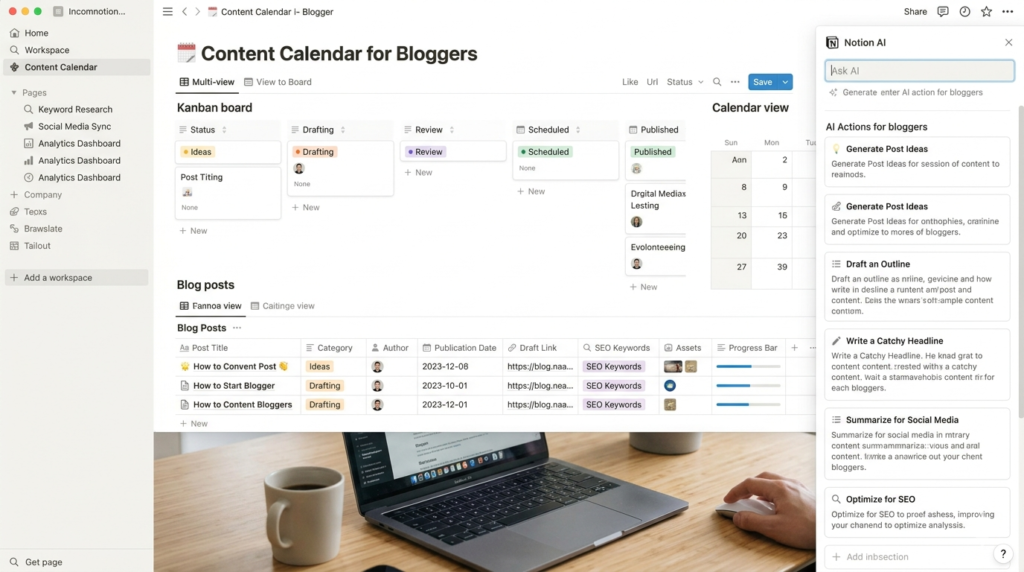
Content Creator OS is a Notion template specifically built for content businesses — blog post tracking, SEO keyword management, social media scheduling, email newsletter planning, and affiliate link management all in one database.
What’s inside:
- Article database with status tracking (idea → outline → draft → published)
- SEO keyword tracker — target keywords, difficulty, and article assignments
- Social media calendar — plan and batch content across platforms
- Email newsletter planner — map out your broadcast schedule weeks ahead
- Affiliate link manager — track all your programs, commissions, and link placements
Why it works for ToolsUnpacked-style businesses: Every article I publish goes through a consistent workflow. Having that workflow in Notion means nothing gets skipped — every article gets its focus keyword, meta description, internal links, and Pinterest pins without relying on memory.
Price: Available on Gumroad and Etsy — typically $15–$27 one-time.
4. Freelancer CRM Template — Best for Client-Facing Solopreneurs
Best for: Freelancers and consultants managing multiple client relationships
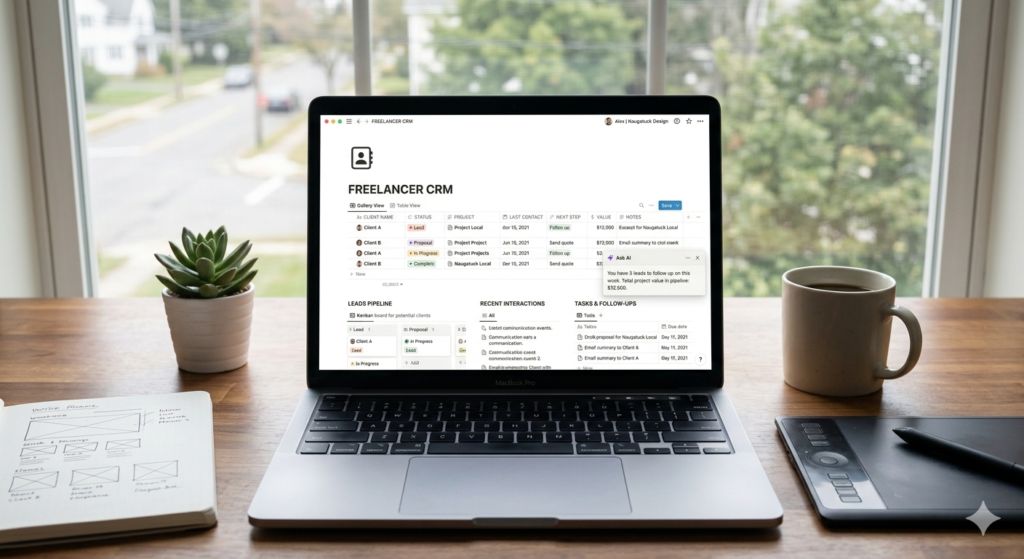
If your business involves client work — consulting, development, design, writing, coaching — you need a CRM. A spreadsheet is not a CRM. HubSpot free is powerful but sometimes overkill for a solo freelancer with 5–10 clients.
A Notion CRM template gives you the structure of a proper CRM with the flexibility of Notion.
What a good Notion CRM includes:
- Contact database — every client and prospect with full history
- Deal pipeline — track leads from first contact to closed contract
- Project templates — spin up a new client project in 60 seconds
- Invoice tracker — never forget to bill for completed work
- Follow-up reminders — automated prompts to check in with dormant clients
Why it beats a spreadsheet: Relationships between databases. When you update a client record, every related project and invoice updates automatically. A spreadsheet can’t do that.
5. Personal Finance Dashboard — Best for Tracking Solopreneur Income
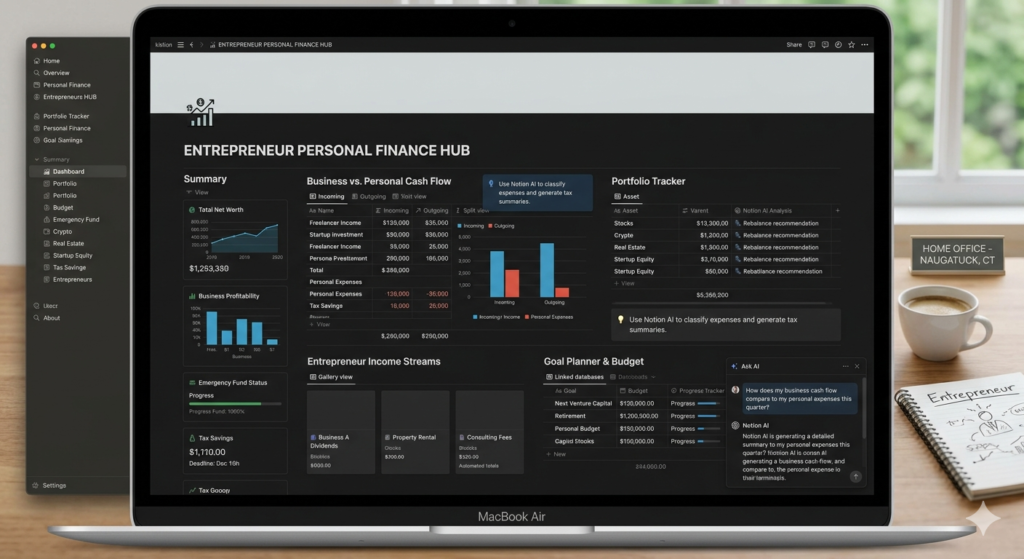
Best for: Solopreneurs tracking irregular income, expenses, and tax preparation
Solopreneur income is unpredictable. Some months you make $500. Some months $5,000. Without a system tracking every dollar you have no idea if you’re actually building toward your goals or just staying busy.
A Notion finance dashboard tracks income by source, expenses by category, monthly profit and loss, tax estimates, and annual revenue goals — all in one place.
What to look for:
- Income tracker by client and project
- Expense categorization for tax purposes
- Monthly P&L view
- Revenue goal tracker with visual progress
- Invoice status tracking
Why this matters for affiliate marketers specifically: Tracking which affiliate programs generate real revenue vs which are just clicks is critical. A proper finance dashboard shows you exactly which programs are worth promoting more aggressively.
How to Choose the Right Notion Template

If you’re just starting: Start with one template that solves your biggest pain point. Don’t try to implement five systems at once.
If you’re overwhelmed: You need an all-in-one system like MainBiz Dashboard — one workspace that replaces five separate tools.
If you create content: Content Creator OS is non-negotiable. Consistency requires a system.
If you have clients: The Freelancer CRM template pays for itself the first time you remember to follow up on a proposal you would have forgotten.
The Notion Stack for Solopreneurs in 2026
Here’s the exact setup I’d recommend:
| Template | Purpose | Cost |
|---|---|---|
| MainBiz Dashboard | Business operations hub | One-time purchase |
| Notion AI | AI assistance across workspace | $10/month add-on |
| Content Creator OS | Editorial and content calendar | One-time purchase |
Total monthly cost: $10 for a complete business operating system.
Final Thoughts
The best Notion template is the one you actually open every day. Start with MainBiz Dashboard as your foundation — it covers the core functions every solopreneur needs. Add Content Creator OS when your content output grows to a level that needs dedicated management.
The goal isn’t to have the most elaborate Notion workspace. The goal is to have a system that makes your business run predictably — so you can focus on the work that actually generates revenue.
Questions about setting up Notion for your business? Drop a comment below or reach me at shel@toolsunpacked.com.
— Shelton Linux Systems Administrator & Founder of ToolsUnpacked.com
Frequently Asked Questions
Are Notion templates worth buying? Yes — for most solopreneurs a good Notion template saves 10–20 hours of setup time and gives you a proven system built by someone who has already figured out what works. The cost is almost always recovered in the first week of use.
Can I customize a Notion template after buying it? Yes — every Notion template is fully customizable. You can add, remove, or modify any element. Templates are starting points not fixed systems.
What is the best free Notion template for solopreneurs? Notion’s own template gallery has solid free options for basic task management and note-taking. For a complete business operating system most free templates are too basic — a paid template like MainBiz Dashboard is worth the one-time investment.
Does Notion work on mobile? Yes — Notion has fully functional iOS and Android apps. Your workspace syncs instantly across all devices. Most solopreneurs use Notion on desktop for building and mobile for quick updates and checks.
What is Notion AI and is it worth it? Notion AI adds artificial intelligence to your Notion workspace — summarizing documents, generating content, and answering questions across your databases. At $10/month it’s worth it for solopreneurs who use Notion daily.
How long does it take to set up a Notion template? Most templates take 15–30 minutes to install and customize. All-in-one templates like MainBiz Dashboard may take 1–2 hours to fully configure with your specific clients, projects, and data.
— Shelton Linux Systems Administrator & Founder of ToolsUnpacked.com
Prepping for finance or technical interviews?
ToolsUnpacked products are built to help you answer cleaner, avoid preventable mistakes, and show up prepared.