
Disclosure: This post contains affiliate links. If you buy through my links I may earn a commission at no extra cost to you. I only recommend tools I’ve personally tested.
Running a solo business gets messy fast: writing content, managing projects, designing graphics, handling email, tracking tasks, and trying not to burn out.
This guide ranks the best AI tools for solopreneurs in 2026 so you can save time, cut busywork, and run more of your business without hiring a full team.
Want the exact AI tool stack I’d use to build a one-person online business?
Most solopreneurs waste money testing random AI tools before they know what they actually need. I put together a free ToolsUnpacked AI Tools Checklist so you can see the simple stack I’d start with first.
I’m Shelton, a Linux Systems Administrator who tests AI tools so you don’t waste money on the ones that overpromise. This is my ranked list of the best AI tools for solopreneurs right now.
What Makes an AI Tool Worth It for Solopreneurs?
Before the list, here’s how I evaluated each tool:
- Time saved — Does it actually reduce how long tasks take?
- Learning curve — Can you get value from it on day one?
- Price vs output — Is the cost justified by what you get?
- Reliability — Does it work consistently or break constantly?
- Integration — Does it work with tools you already use?
Only tools that passed all five criteria made this list.
If you are a founder, consultant, or solo buyer evaluating acquisitions, I also built a M&A Financial Modeling Template Pack with DCF, LBO, trading comps, precedent transactions, due diligence, and deal summary templates.
1. Writesonic — Best AI Writing Tool for Solopreneurs
Best for: Blog posts, social media, email copy, product descriptions
If you’re running a content-driven business and writing is eating all your time, Writesonic is the tool that changes that. I use it to generate first drafts that I then edit — cutting my writing time by roughly 60%.
What it does: Writesonic generates full blog posts, landing page copy, ad copy, email sequences, and social media content. The output quality is consistently good enough to use as a starting point without heavy editing.
Why solopreneurs love it: You’re one person doing everything. Writesonic lets you publish more content in less time without sacrificing quality. A blog post that used to take 3 hours now takes 45 minutes.
Pricing: Free plan available. Paid plans from $16/month.
Verdict: 5/5 — The single highest-ROI tool on this list for content creators.
👉 Try Writesonic free here ← replace with Writesonic affiliate link
2. Grammarly — Best Writing Assistant
Best for: Anyone who publishes written content publicly
Every piece of content you publish represents your brand. Grammarly catches the errors that make you look unprofessional — typos, grammar mistakes, awkward phrasing, and tone issues.
What it does: Grammarly works as a browser extension that checks your writing everywhere — Gmail, WordPress, Google Docs, LinkedIn, Twitter. The premium version adds plagiarism detection, style suggestions, and tone analysis.
Why solopreneurs love it: No editor, no proofreader, no problem. Grammarly is your always-on writing quality check. For $12/month it saves you from publishing embarrassing mistakes and losing credibility.
Pricing: Free plan available. Premium from $12/month.
Verdict: 4.5/5 — Non-negotiable for anyone publishing content.
👉 Try Grammarly free here ← replace with Grammarly affiliate link
3. Canva — Best Design Tool for Non-Designers
Best for: Social media graphics, blog images, presentations, Pinterest pins, marketing materials
Before Canva, solopreneurs either paid a designer or published ugly graphics. Now anyone can create professional-looking visuals in minutes.
What it does: Canva is a drag-and-drop design platform with thousands of templates for every use case — social posts, presentations, logos, flyers, video thumbnails, Pinterest pins, and more. The AI features added recently include background removal, image generation, and smart resize.
Why solopreneurs love it: You don’t need design skills. Pick a template, swap in your content, download. I use Canva every single day for this site’s graphics. The free plan is genuinely useful and the Pro plan at $15/month unlocks everything.
Pricing: Free plan available. Pro from $15/month.
Verdict: 5/5 — Essential. Use it daily.
👉 Try Canva free here ← replace with Canva affiliate link
[convertkit form=9463001]
4. ClickUp — Best Project Management Tool
Best for: Solopreneurs managing multiple projects, clients, or content calendars
Running a solo business means tracking dozens of tasks across multiple projects simultaneously. Without a system, things fall through the cracks.
What it does: ClickUp is an all-in-one project management platform that replaces your to-do list, spreadsheet tracker, and project manager. You can manage tasks, set deadlines, track time, create documents, and build workflows — all in one place.
Why solopreneurs love it: The free plan is one of the most generous in the project management space. For a solopreneur managing a content calendar, client work, and business admin, ClickUp provides structure without the complexity of enterprise tools.
Pricing: Free plan available. Paid plans from $7/month.
Verdict: 4.5/5 — The best free project management tool available.
👉 Try ClickUp free here ← replace with ClickUp affiliate link
Tool 6.5 — JotForm: Best Form Builder for Solopreneurs
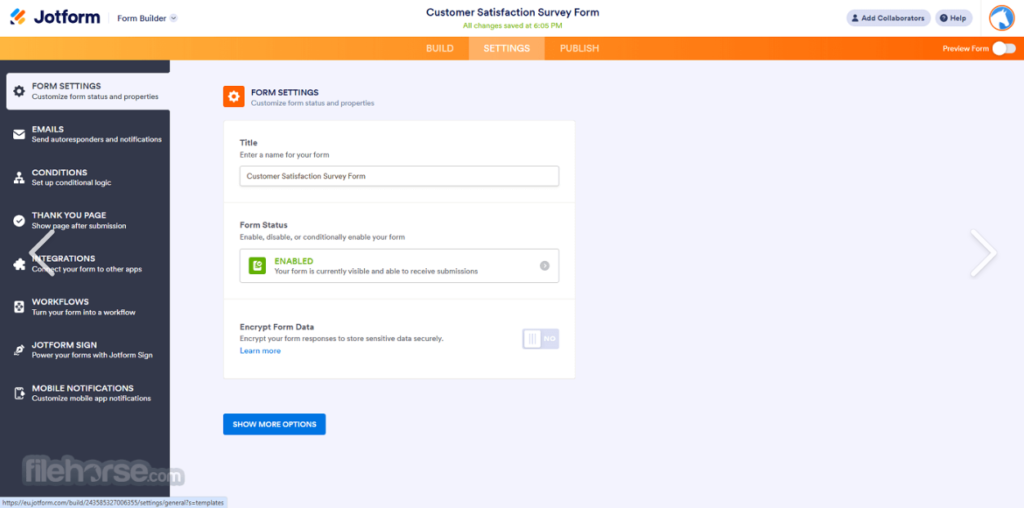
Every solopreneur eventually hits the same wall — clients emailing you back and forth to collect basic information that could have been captured in a form. JotForm solves this completely.
Build your client intake form once. Share the link. Every new client fills it out automatically — no back-and-forth emails, no missed information, no manual data entry. JotForm connects directly to Google Sheets, Notion, ClickUp, and Kit so every submission feeds directly into your existing workflow.
Real solopreneur use cases:
- Client onboarding intake forms
- Discovery call questionnaires
- Testimonial and review collection
- Payment collection forms
- Contract signature workflows
Free plan: 5 forms, 100 submissions/month. Paid plans from $34/month.
Verdict: ⭐⭐⭐⭐½ — Eliminates hours of back-and-forth communication every single week.
5. Notion — Best All-in-One Workspace
Best for: Solopreneurs who want to organize everything in one place
Notion is where I keep everything that doesn’t fit elsewhere — content ideas, research notes, SOPs, client information, and business planning documents.
What it does: Notion is a flexible workspace that works as a note-taking app, database, wiki, and project manager simultaneously. Its AI features now let you summarize notes, generate content, and search across your entire workspace.
Why solopreneurs love it: Notion replaces 4–5 different apps with one. The free plan is sufficient for most solopreneurs and the interface is clean and fast.
Pricing: Free plan available. Plus plan from $10/month.
Verdict: 4.5/5 — The best second brain tool for solopreneurs.
👉 Try Notion free here ← replace with Notion affiliate link
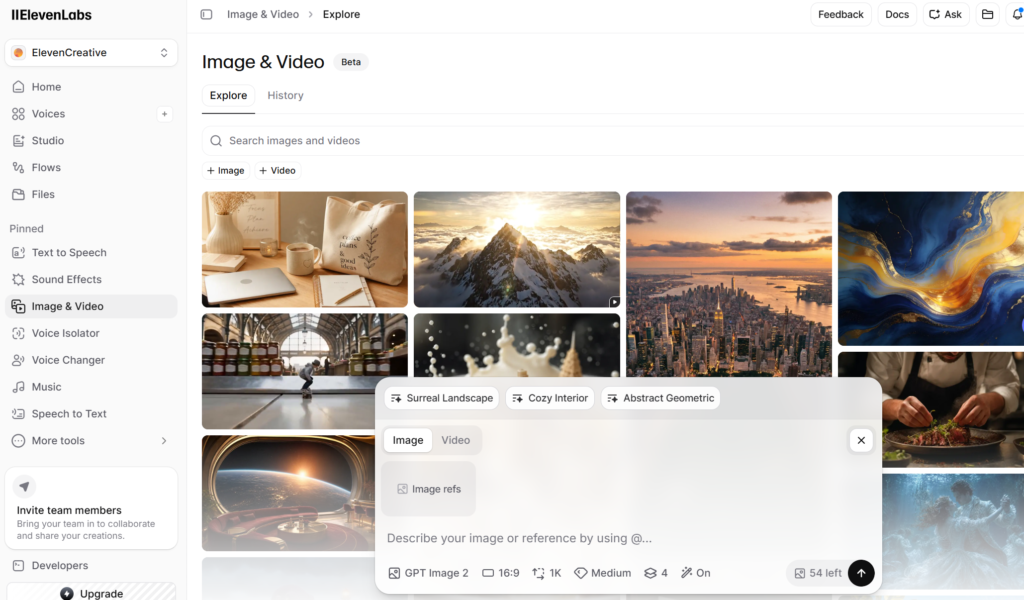
6. ElevenLabs — Best AI Voice Tool for Solopreneurs
Best for: Solopreneurs who want realistic AI voiceovers for videos, podcasts, ads, courses, and social media content.
ElevenLabs is one of the best AI voice tools for turning written scripts into natural-sounding voiceovers. Instead of hiring a voice actor or recording your own audio, you can use ElevenLabs to create professional voice content faster.
What it does: ElevenLabs helps you create realistic AI voices for YouTube videos, podcasts, tutorials, ads, audiobooks, and short-form content. It can turn text into speech and help creators produce audio content without needing expensive recording equipment.
Why solopreneurs love it: ElevenLabs saves time and money. A solo business owner can write a script, generate a voiceover, and use it for YouTube, TikTok, Instagram, podcasts, or online courses without hiring extra help.
Pricing: Free plan available. Paid plans are available for higher usage and advanced voice features.
Verdict: 4.7/5 — One of the best AI voice tools for solopreneurs creating audio and video content.
7. Kit (ConvertKit) — Best Email Marketing Tool
Best for: Solopreneurs building an audience and monetizing through email
Your email list is the only audience you truly own. Social media algorithms change. Google updates rankings. Your email list is yours forever.
What it does: Kit is an email marketing platform built specifically for creators and solopreneurs. It handles subscriber management, email sequences, landing pages, and broadcast emails with a clean interface that doesn’t require a marketing degree to use.
Why solopreneurs love it: The free plan supports up to 1,000 subscribers — enough to get started and start earning before paying anything. The automation features let you send the right message to the right person automatically.
Pricing: Free up to 1,000 subscribers. Paid plans from $25/month.
Verdict: 4.5/5 — The best email tool for creators just getting started.
👉 Try Kit free here ← replace with Kit/ConvertKit affiliate link
The Solopreneur AI Stack — My Recommendation
Here’s exactly what I’d start with if I was building a solo business from scratch today:
Day 1 (free):
- Canva free — design
- Grammarly free — writing quality
- ClickUp free — task management
- Notion free — organization
- Kit free — email list
Month 2 (when revenue starts):
- Writesonic paid ($16/mo) — content creation
- Grammarly Premium ($12/mo) — professional writing
Month 6 (scaling):
- SEMrush ($139/mo) — SEO data to double down on what works
Total cost to start: $0. Total cost at scale: $167/month for a complete professional toolkit.
Final Rankings
| Tool | Best For | Starting Price | Rating |
|---|---|---|---|
| Writesonic | Content creation | $16/mo | ⭐⭐⭐⭐⭐ |
| Canva | Design | Free | ⭐⭐⭐⭐⭐ |
| ElevenLabs | AI voiceovers | Free | ⭐⭐⭐⭐⭐ |
| Grammarly | Writing quality | Free | ⭐⭐⭐⭐½ |
| ClickUp | Project management | Free | ⭐⭐⭐⭐½ |
| Notion | Organization | Free | ⭐⭐⭐⭐½ |
| Kit | Email marketing | Free | ⭐⭐⭐⭐½ |
Bottom Line
The best AI tool stack for solopreneurs in 2026 is the one you actually use consistently. Start free with Canva, Grammarly, ClickUp, Notion, and Kit. Add Writesonic when you need to scale content production.
Every tool on this list has a free plan. There’s no reason to spend money before you’ve proven the value yourself.
Need a voice for your videos? Read my Best AI Voice Tools 2026 guide.
Questions about any of these tools? Drop a comment below or email shel@toolsunpacked.com.
— Shelton Linux Systems Administrator & Founder of ToolsUnpacked.com
Prepping for finance or technical interviews?
ToolsUnpacked products are built to help you answer cleaner, avoid preventable mistakes, and show up prepared.
One Comment